8 Conference Room Booking Best Practices That Actually Work in 2026
"Best practice number one: stop relying on 'whoever sends the email first' as your conference room booking policy. It doesn't work. It never worked. Here are eight practices that actually do."
Why Conference Room Management Looks Easy — and Isn't
Conference room management is one of those operational areas that looks simple on the surface and is genuinely complex underneath. Getting it right means balancing availability, revenue, customer experience, and operational efficiency — simultaneously, every day.
These eight practices are drawn from what actually works in hotels, venues, and bookable spaces that manage their conference rooms well. Each one is specific, implementable, and directly tied to a measurable outcome: fewer no-shows, higher revenue, less admin, or better customer experience.
The 8 Best Practices
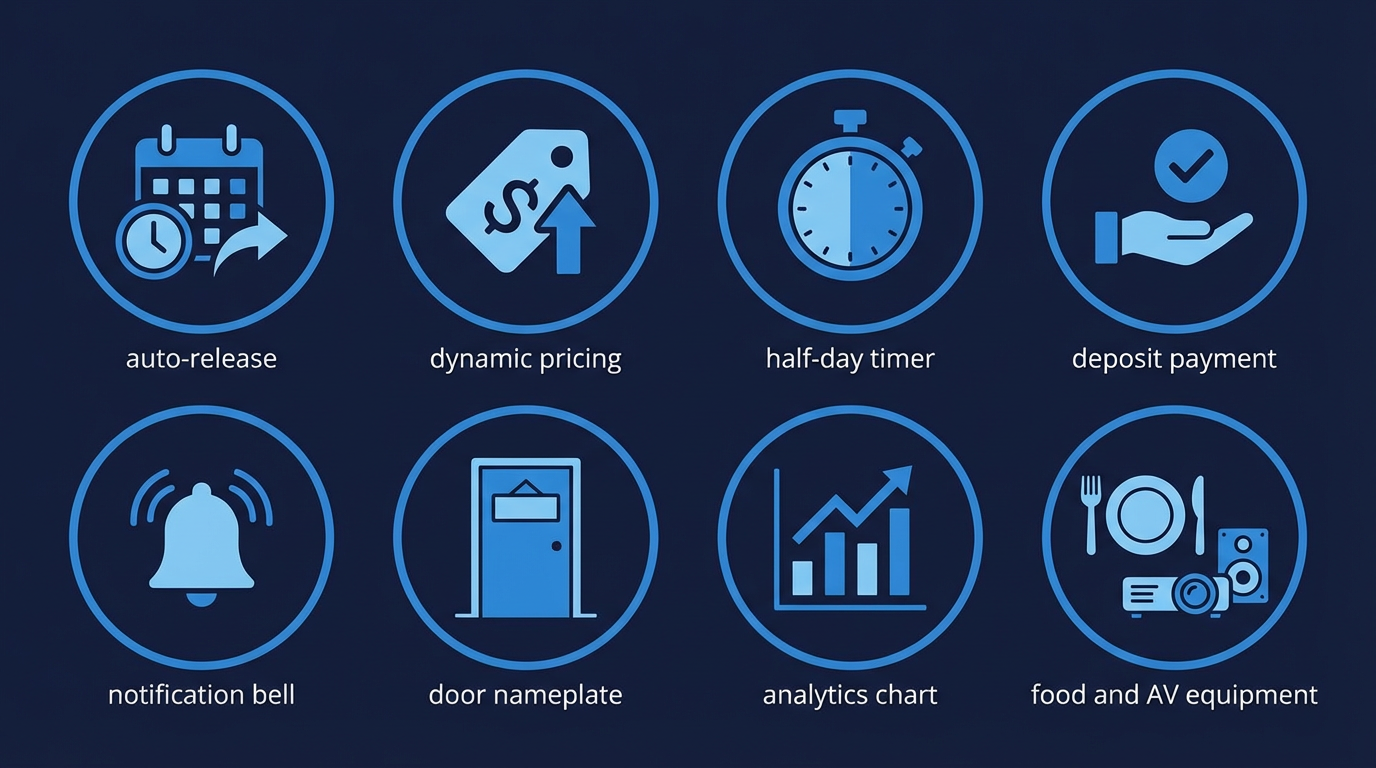
Set auto-release rules for unconfirmed holds 🚫
A held room that's never confirmed is revenue no one else can book. Phone and email holds without follow-up are one of the biggest sources of lost occupancy in conference room management. The fix is simple: set an automatic release window. If a hold isn't confirmed and deposited within 24–48 hours, the room releases automatically back into available inventory. Book a Space lets you configure these rules per space type — so a boardroom can have a 24-hour hold window while a large conference suite might allow 72 hours for more complex bookings.
Use time-of-day dynamic pricing 💰
A Monday morning boardroom has different demand to a Friday afternoon slot. Flat-rate pricing treats all time slots equally — which means you're almost certainly undercharging during peak demand and potentially overcharging during slower periods, reducing occupancy. Dynamic pricing adjusts rates automatically based on time of day, day of week, current demand, and season. You set the parameters; the system manages the rates. The result is higher yield during peak times and better occupancy during off-peak periods.
Offer half-day and full-day pricing tiers 📈
Single hourly pricing leaves money on the table. When you offer a half-day rate at a slight discount to 4× the hourly rate, customers who originally planned a 3-hour session often extend to the half-day. Full-day rates similarly anchor customers to longer commitments. This practice consistently increases average booking value without requiring any additional sales effort. The pricing structure itself does the work.
Require deposits at booking, not on the day 🔒
An undeposited booking is a soft commitment. A deposited booking is a hard one. The data is consistent across hospitality: requiring a deposit at the point of booking — even a modest 25–30% — dramatically reduces no-shows and last-minute cancellations. The friction of paying a deposit also filters out low-quality enquiries, leaving your calendar filled with genuine, committed bookings. For premium spaces, a higher deposit (50%+) is entirely appropriate.
Send automated pre-arrival reminders 📧
A 48-hour reminder email does two things: it reinforces the booking in the customer's mind, and it gives them a clear opportunity to cancel or amend in time for you to rebook the space. Both outcomes are positive. The reminder reduces no-shows among genuine bookers and recovers the space from anyone who's changed plans. Include practical details in the reminder: parking, WiFi password, check-in instructions, and a contact number for day-of queries. This reduces operational friction and last-minute calls.
Name your rooms memorably — not "Room A" ✨
This one is underrated. Rooms with memorable names — named after local landmarks, historical figures, or brand themes — are easier to reference, easier to recommend, and more likely to be specifically requested on repeat bookings. "Can we have the Harbour Room again?" is a very different repeat booking conversation to "Can we have that room we had last time?" The name also sets an expectation and adds character. "The Boardroom" is functional. "The Meridian Suite" is somewhere people want to be.
Review utilisation reports monthly 📊
You can't optimise what you don't measure. A monthly utilisation review — 20 minutes with your analytics dashboard — gives you the information to make smart decisions: which rooms are consistently over-booked (raise prices or add availability), which are consistently under-booked (adjust pricing or promote), which time slots have the most ghost booking problems (tighten hold policies). Over time, this data also reveals seasonal patterns that allow you to pre-adjust pricing before demand spikes — rather than reacting after the fact.
Upsell AV, catering, and parking in the booking flow 🍽️
The highest-conversion moment for add-ons is during the booking — not in a follow-up email, not at check-in, not on the day. When a customer is already in the process of committing to a booking, presenting relevant add-ons at that exact moment achieves far higher take-up than any other channel. Present catering packages (morning coffee break, working lunch, afternoon tea), AV options (screen, projector, microphone, hybrid meeting kit), and ancillary services (parking, stationery, branded notepads) as clear, priced choices within the booking flow. Make it easy to add them with a single click.
Good conference room management isn't about working harder. It's about building a system that works consistently — whether your team is at full strength or not.
Putting It All Together
These eight practices aren't independent — they compound. Auto-release rules reduce ghost bookings, which improves occupancy, which makes your utilisation data more accurate, which makes your pricing decisions better. Deposits reduce no-shows. Better naming drives repeat bookings. Add-ons increase average booking value. Reminders improve day-of experience.
The common thread is systematisation. Each of these practices works not because of individual effort, but because it's built into the process — automated, consistent, and requiring no manual intervention once set up. That's what Book a Space makes possible: a conference room operation that runs to a high standard every day, with significantly less operational overhead than a manual process requires.
Frequently Asked Questions
For corporate day meetings, up to 12 months works well. For ad-hoc bookings, a 2–4 week window is typical. Book a Space lets you configure different advance booking windows per space type.
Most venues find 2 hours works for boardrooms and meeting rooms. For larger conference spaces, a half-day minimum (4 hours) is common. Minimums prevent very short bookings that consume setup time disproportionately relative to revenue.
Book a Space lets you set booking rules per user group, including maximum advance booking windows, maximum duration per session, and limits on repeat bookings within a given time period.
Yes — data consistently supports it. Half-day and full-day tiers increase average booking value by giving customers a clear incentive to extend. Book a Space supports multiple pricing tiers per space with automatic application by duration.
Monthly minimum for operational decisions. Weekly during peak seasons. Book a Space's analytics dashboard shows utilisation rate, revenue per room, and upsell capture rate in one view — no manual compilation needed.
See all 8 practices in action.
Book a demo and we'll show you exactly how Book a Space implements each of these practices — automatically, from day one.
Request a Demo